As part of the 4.23 release, Cetec ERP now includes an MCP (Model Context Protocol) server. This allows you to connect AI tools like ChatGPT, Claude, or Gemini directly to your ERP and query your data using natural language. MCP is live and usable, meaning you can plug in your agents, but it is not actively supported at this time. It is best suited for technical users who want to experiment and build on top of the API.
What MCP Does in Practice
MCP connects an AI client to your Cetec ERP instance through the API. Once connected, the AI can call ERP functions and return results in response to plain-language questions. This allows you to query live system data through an AI interface and plain human speak.
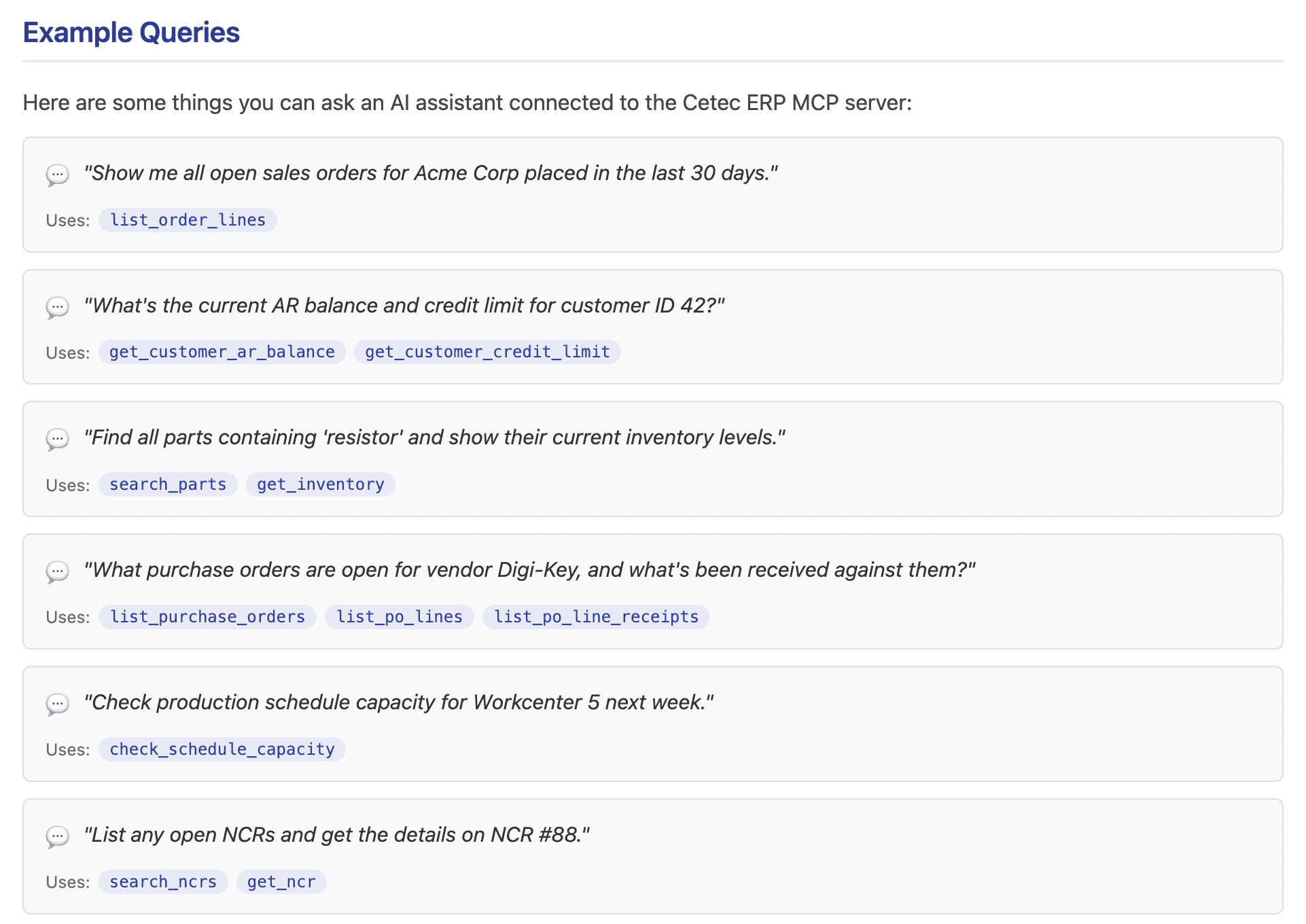
For example, you can ask:
- What sales orders are currently open for a specific customer
- What inventory is available for a given part
- Which purchase orders are still outstanding
- What production capacity looks like next week
The responses come directly from your ERP data. The MCP server exposes these capabilities as structured tools mapped to existing API endpoints.
Where This Fits in Your Workflow
MCP is best thought of as an additional way to access your ERP.
It works well in situations where:
- You need quick answers and don’t want to navigate multiple screens
- You are exploring data and don’t know exactly where to look
- You want to validate assumptions before taking action
- You are working across multiple areas like sales, inventory, and production
It does not replace standard workflows inside the ERP. Order entry, production management, purchasing, and accounting still happen in the system as usual.
What You Can Access
The MCP server exposes a large portion of Cetec ERP functionality across core areas of the system, including:
- Sales orders, quotes, and customer data
- Parts and inventory
- Purchasing and vendors
- Production scheduling and workcenters
- Accounting data like invoices and vouchers
- Quality records such as NCRs
This gives you broad coverage across day-to-day operations.
Read vs Write
Most MCP tools are read-only. They return data without modifying anything in your system.
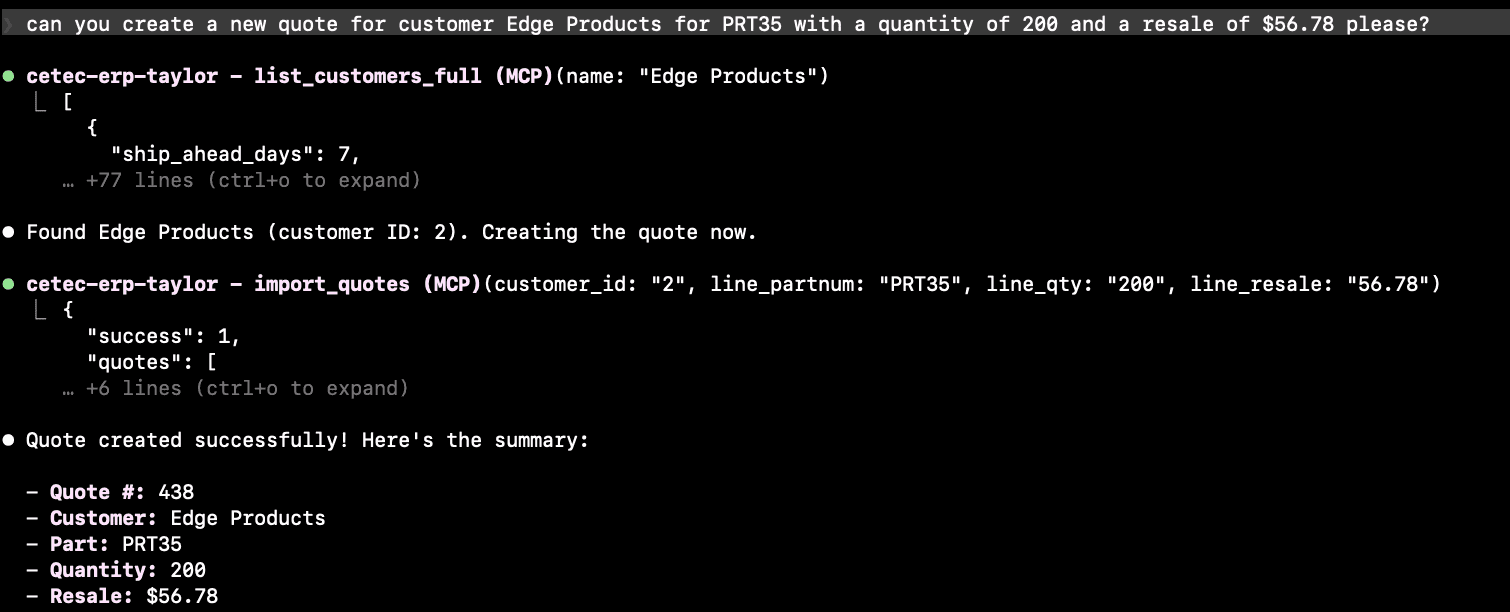
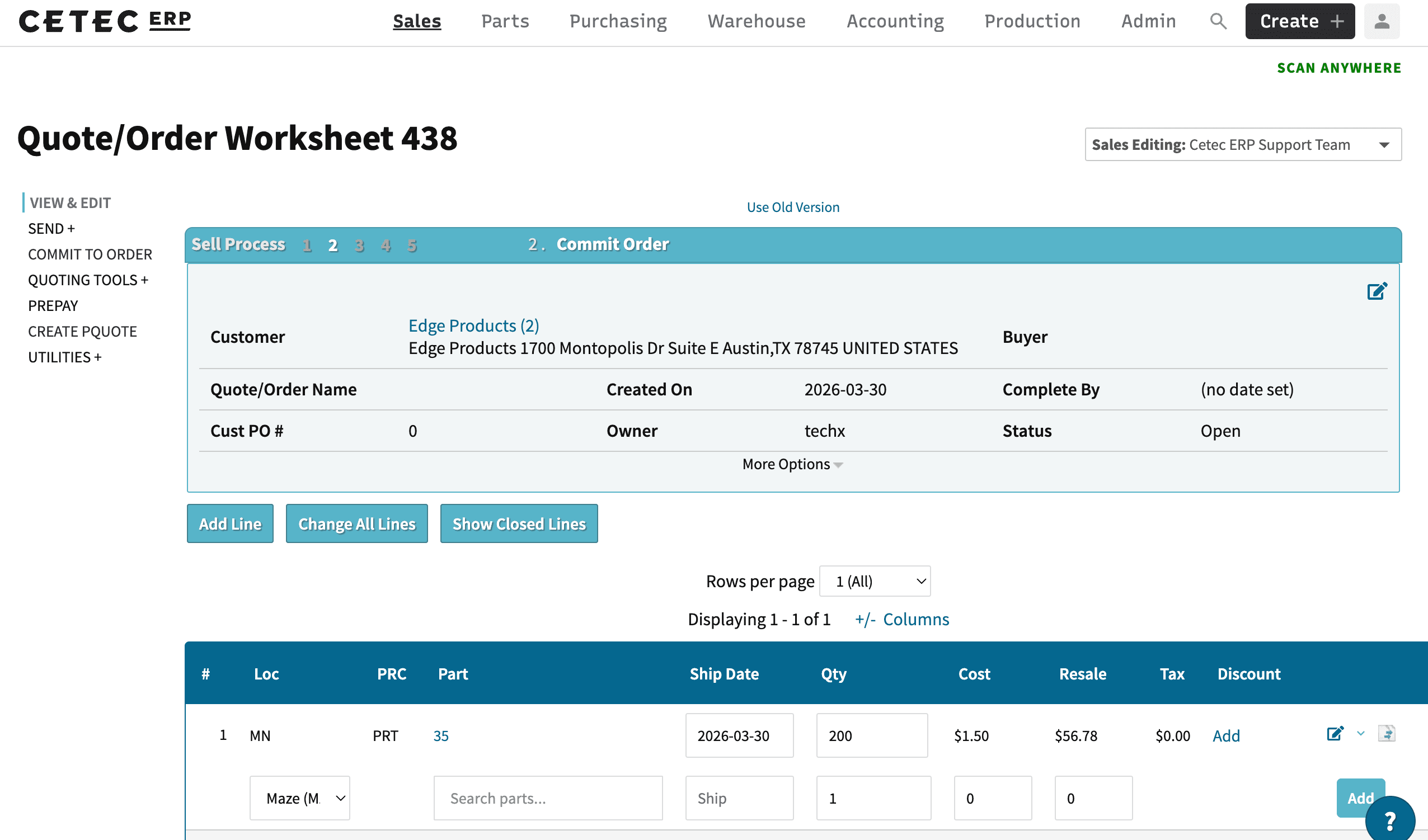
There are currently three write operations available:
- Create quotes
- Create BOMs
- Update BOMs
These actions create or modify real records. There is no undo through MCP, so they should be used carefully and intentionally. This is limited in scope, but is a good starting point - as more use-cases pop up (and much more testing), more ‘write’ functions may be opened to MCP.
How to Get Started
If you are comfortable working with APIs, setup is straightforward.
You will need:
- Your MCP endpoint: /goapis/mcp
- An MCP-compatible client (Claude Desktop, Cursor, or similar)
- An authentication token
You can authenticate using:
- A JSON API token from Admin > Configuration (shared, full access)
- An OAuth access token tied to a specific user (recommended, respects permissions)
Once configured, restart your AI client and begin asking questions.
How to Think About Using MCP
Start with simple, operational questions you already ask during the day.
Examples:
- Checking order status
- Looking up inventory levels
- Reviewing open purchasing activity
- Understanding production load
These are areas where MCP provides immediate value because it removes the need to navigate or build reports.
As you get more comfortable, you can expand into more complex queries that combine multiple areas of the system.
It is also useful for investigation. If something looks off, you can ask follow-up questions quickly and narrow down the issue without switching between screens.
AI Enabled ERP
MCP introduces a different way to interact with your ERP.
Your system already contains the data needed to run the business. MCP provides a direct path to that data using natural language.
For teams already using AI tools, this connects those tools to real operational data instead of static inputs.
Final Notes
This release is intended for exploration. It gives technical users a way to connect their ERP to AI tools and test practical use cases.
If you are evaluating it, start small. Ask questions you already need answers to and see how it fits into your day-to-day work. That’s where the value shows up.