
Understanding Scale to Pick and Don't Scale in Cetec ERP
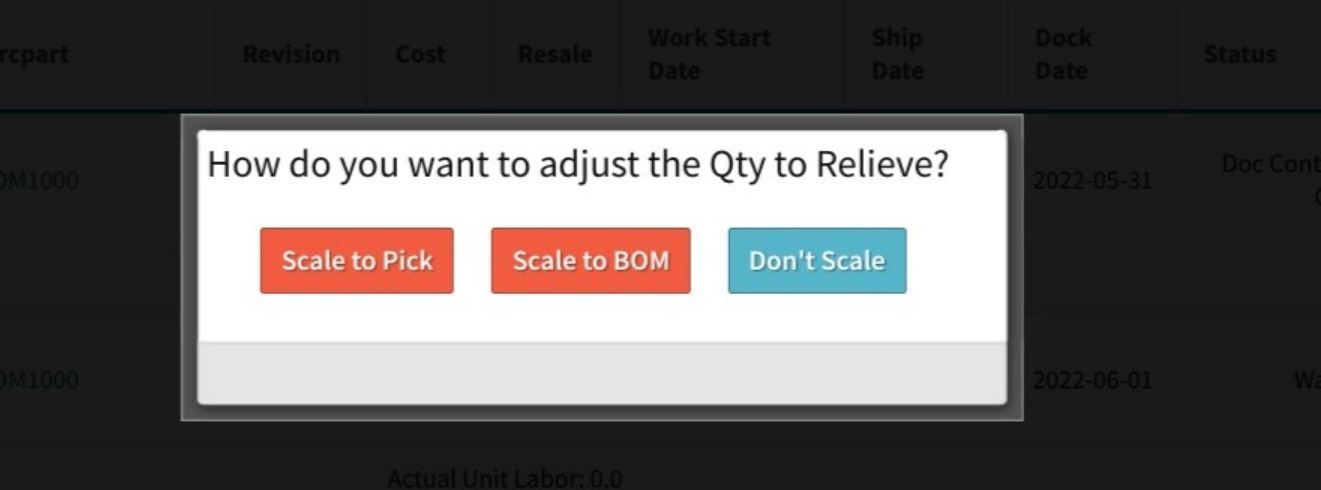
When you ship a partial quantity on an order, Cetec ERP prompts you to choose between scale to pick and don't scale. That choice controls how much material is relieved and how cost is captured on the shipment, so it is important to understand what each option does.
How Scale to Pick Works
Scale to pick adjusts the picked quantity to match the quantity you plan to ship. If a job requires 8 units but you are only shipping 4, choosing scale to pick relieves material and cost for 4 units. Inventory, work in process, and invoicing stay aligned with what actually leaves your facility.
How Don't Scale Works
Don't scale uses the full picked quantity, even if you only ship part of it. If all 8 units were picked but you only ship 4, the system still relieves material and cost for 8 units. This can make the shipment cost and price look high compared to the quantity on the packing slip and can confuse a customer who expects pricing tied to shipped quantity.
When to Choose Each Option
Use scale to pick when you want material relief and cost capture to match the quantity you are shipping today. Use don't scale only when you intentionally want to consume all picked material on this shipment, even if some units are not leaving the building. Choosing the correct option keeps inventory accuracy, work in process, and customer invoices in sync.
Key Takeaways
- Scale to pick adjusts relief and cost to the quantity you actually ship.
- Don't scale relieves the full picked quantity, even on a partial shipment.
- Picking the right option protects inventory accuracy and avoids confusing invoices.
Conclusion
Scale to pick and don't scale are small decisions that carry real consequences for material relief and cost capture. When your team understands how each option behaves, you can process partial shipments in Cetec ERP with confidence and avoid surprises for both operations and customers.
For more shipping and invoicing guidance in Cetec ERP, review the how-to resources on the Cetec ERP support site.