Using Consolidated Invoicing for Partial Shipments in Cetec ERP
Many large customers expect the final invoice to match their purchase order exactly. When your team ships partial quantities over time, it can be difficult to keep packing slips, shipment records, and the final invoice in sync with what the customer expects to see.
Cetec ERP lets you print packing slips for partial shipments before you invoice and then consolidate those shipments into a single invoice summary that matches the customer purchase order format.
Printing Packing Slips Before Invoicing
In some legacy systems, you cannot print a packing slip until the entire order is shipped and invoiced, which makes partial shipments tedious and error prone. The customer may need product now, but your team has to choose between holding the shipment or breaking the link between packing documentation and the final invoice.
In Cetec ERP you can queue up a partial shipment and packing list either before or after invoicing. This lets shipping create accurate packing documents for what is leaving your facility today without waiting for the rest of the order to be ready.

Partial Shipments and Partial Invoice Records
When you ship a partial quantity on an order, Cetec ERP creates an invoice record that represents that shipment. In a partial scenario this is effectively a partial invoice record. The invoice record tracks shipment and cost, because in Cetec ERP an invoice is a record of shipment, but you do not have to send that partial record to the customer as a final invoice.
This separation lets operations move product when it is ready while accounting keeps a complete history of what shipped and when, even if the customer only wants to see a single invoice that summarizes all shipments.
Consolidating Shipments Into a Single Customer Invoice
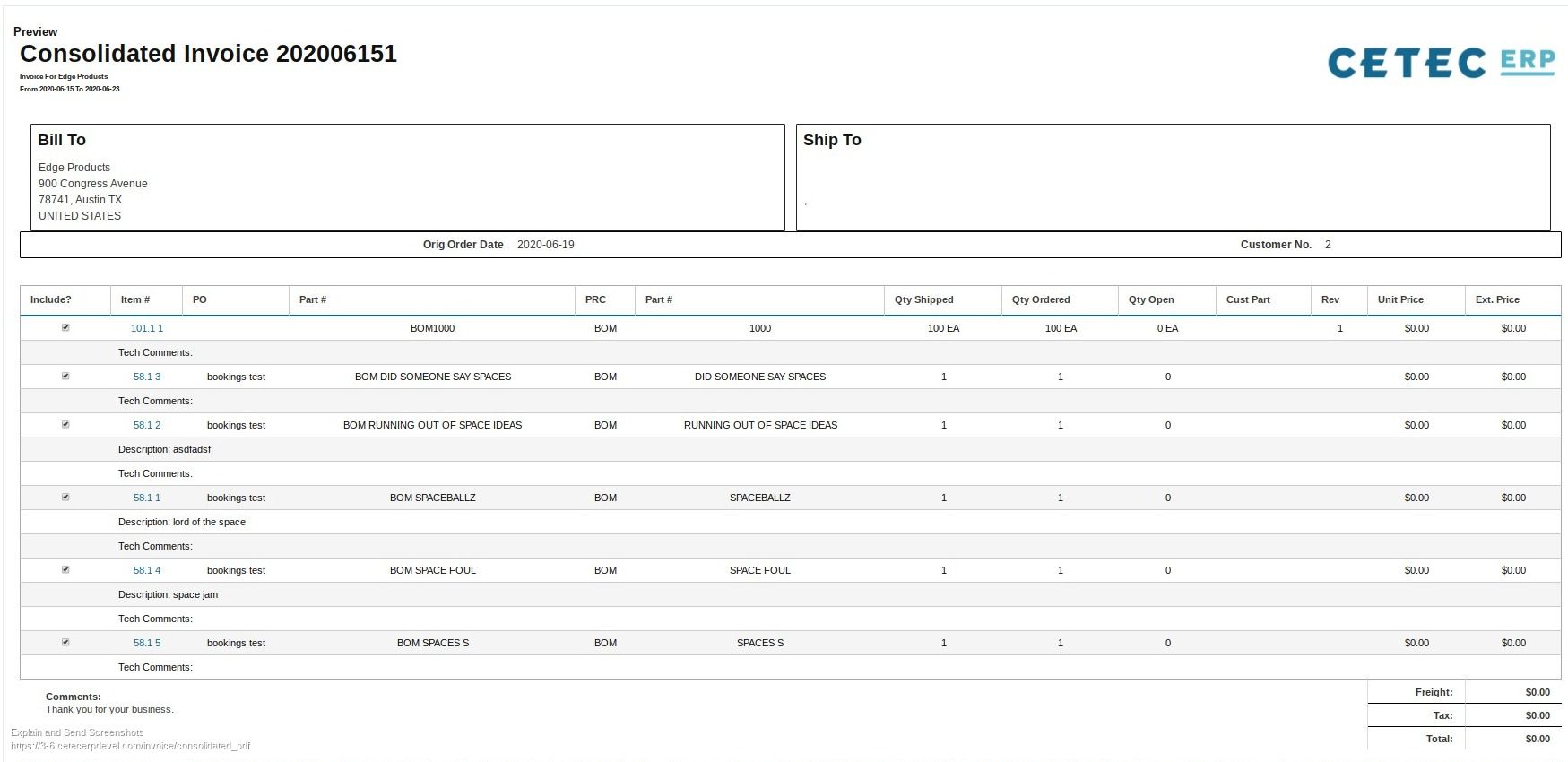
For customers that require one invoice per purchase order, you can use the Consolidated Invoicing feature in Cetec ERP. From the consolidated invoice screen, you can set a date range or search by order number, pull in the related shipment or invoice records, and generate a single consolidated invoice formatted to match the customer’s original purchase order.

Key Takeaways
- Cetec ERP lets you print packing slips for partial shipments without waiting for the full order to be invoiced.
- Each partial shipment creates a partial invoice record that tracks shipment and cost without forcing multiple customer-facing invoices.
- Consolidated invoicing combines multiple shipment or invoice records into a single invoice summary that matches your customer’s purchase order requirements.
- Using consolidated invoicing keeps shipping, accounting, and customer service aligned on what shipped and what will be billed.
Conclusion
For manufacturers that ship large orders in stages, invoice formatting requirements can create friction between what operations needs and what the customer expects. By separating partial shipment records from the final customer invoice and using consolidated invoicing in Cetec ERP, your team can ship product when it is ready, keep cost capture accurate, and still deliver a single clean invoice that matches the customer purchase order.