
Microsoft Entra ID SSO Setup
Documentation explaining how to configure Microsoft Entra ID Single Sign-On (SSO) with Cetec ERP using OpenID Connect (OIDC), including application registration, authentication setup, client secrets, and GCC High configuration considerations.
May 15 2026
Steps to Set Up OIDC App in Entra or Azure GCC High
REGISTER THE APPLICATION
- Sign in to the Microsoft Entra admin center using a GCC High account.
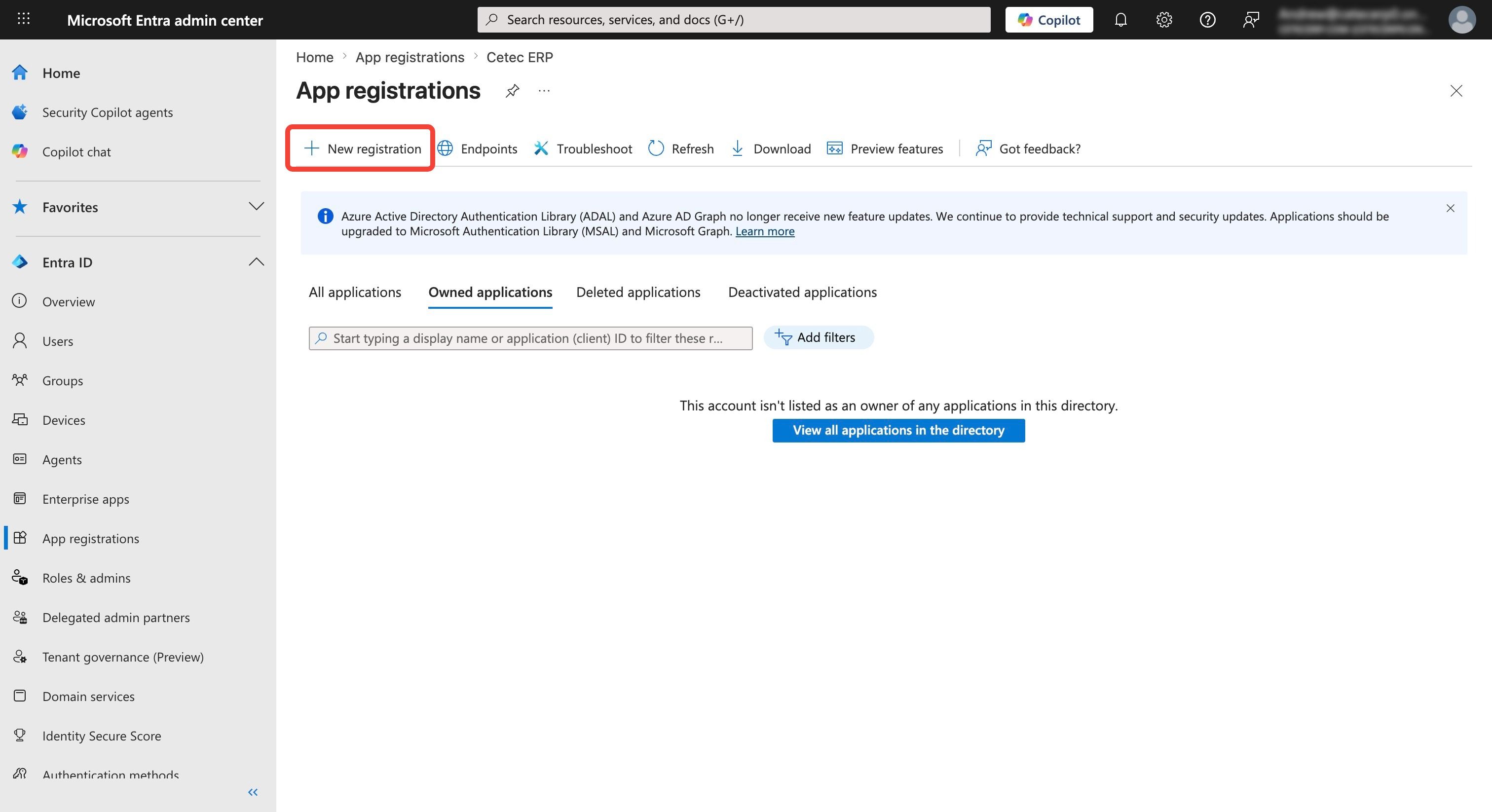
- Navigate to:I dentity » Applications » App registrations
- Click: New registration
- Enter a name, select the supported account types (typically Single Tenant for GCC High), and click Register.
CONFIGURE AUTHENTICATION
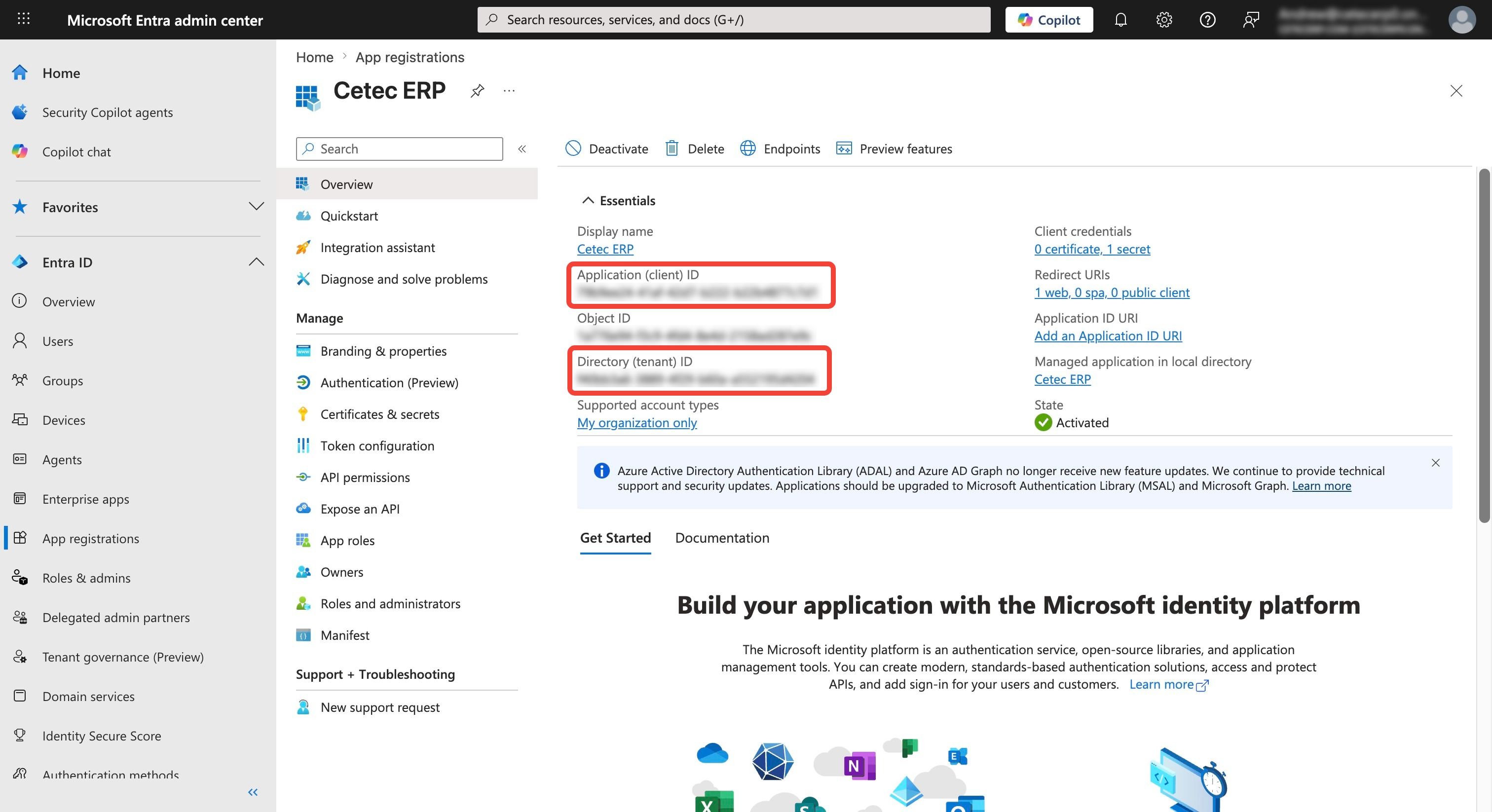
- In the app overview, note the:
- Application (client) ID
- Directory (tenant) ID
- Navigate to: Authentication » Add a platform » Web
- Enter the redirect URI from your OIDC application: https://your_domain.cetecerp.com/goapis/api/v1/auth/ping/callback
- Under Implicit grant and hybrid flows, select ID tokens if required by your application.
CREATE CLIENT SECRET
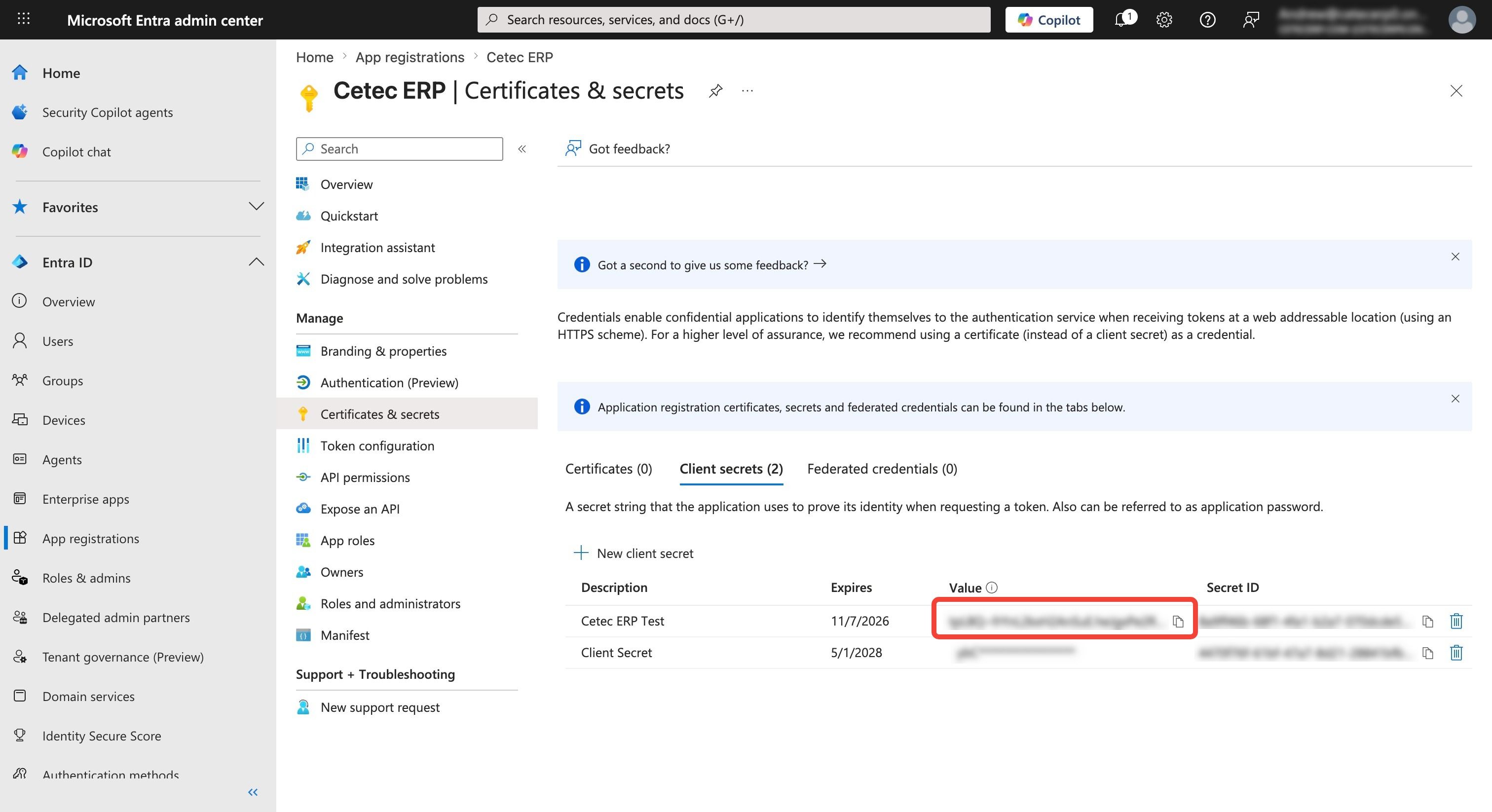
- Navigate to: Certificates & secrets » New client secret
- Add a description and expiration, then click Add.
- Copy the secret value immediately, as it will not be shown again.
OBTAIN ENDPOINTS
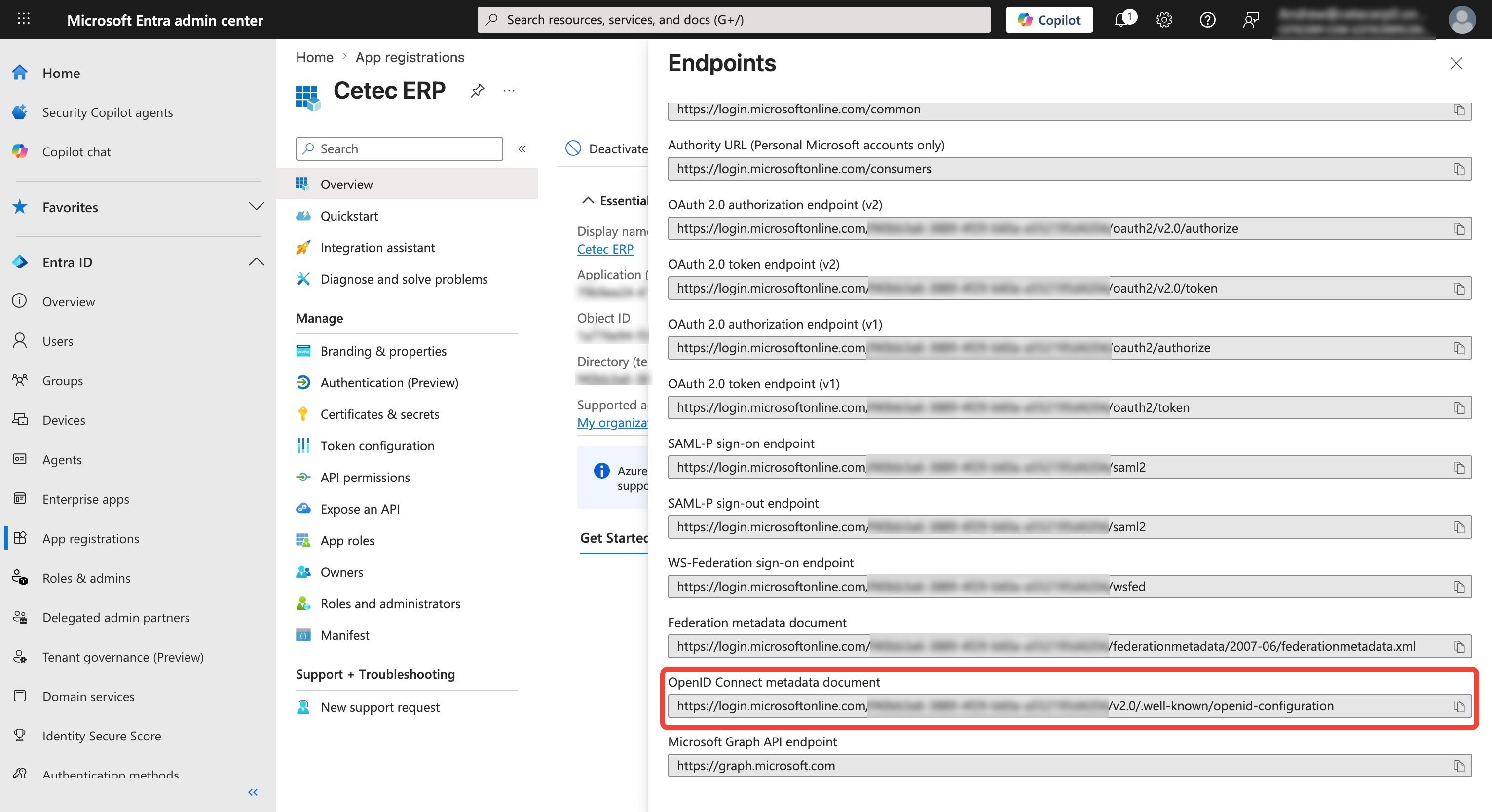
- Navigate back to the Overview page and click Endpoints.
- Copy the OpenID Connect metadata document URL.
- This URL is needed to configure your application's OIDC connection.
Steps to Set Up OIDC SSO in Cetec ERP
CONFIGURE CETEC ERP SSO SETTINGS
- Navigate to: Admin » Config Settings » Config Setting
- Search: sso
- Configure the following settings:
- Oidc Sso Enforcement = 1 (recommended for setup) or 2 (SSO mandated with no local auth fallback)
- Oidc Sso Provider = entra_id or entra_id_gcchigh
- Oidc Sso Environment Id = Directory (tenant) ID
- Oidc Sso Client Id = Application (client) ID
- Oidc Sso Client Secret = Client Secret Value
- Oidc Sso Discovery Url = OpenID Connect metadata document
USER MATCHING CONSIDERATIONS
Users will need their email set on their profile, or their username will need to match in order to get picked up automatically.
Additional Key GCC High Considerations
ENDPOINTS
Ensure all URLs use login.microsoftonline.us rather than the public login.microsoftonline.com.
METADATA
The configuration metadata URL follows the format: https://login.microsoftonline.us/<Tenant ID>/v2.0/.well-known/openid-configuration
AUTHORITY
The issuer authority should be https://login.microsoftonline.us/<Tenant ID>.